I’ve been using the VFD and all was working fine. Now I’m getting Err08 “low voltage” and can’t move forward. I’ve checked the bus voltage and it is 239 volts at the output from the receptacle. What is next, please?
Reach out to support@pwncnc.com for official support. That said…
Err08 could be a few things. I’d unplug everything except the power cord. See if the issue goes away. Then start plugging in and seeing if the problem returns and with which cord does it return.
What was happening leading up to the error?
Is there excessive dust in/around the VFD itself. Perhaps it needs better dust shielding built up around it to prevent this as well as blowing it out.
Are there any other items plugged into the same circuit that could be pulling voltage.
the VFD’s are rated for 220v, and there are a few settings which specify 220v. If this is international, the VFD may need to have the voltage setting adjusted to match your country so proper measuring can occur.
Hi Daniel,
Here are two photos showing the output voltage from the 240 Volt receptacle to the plug that goes into the VFD.
More answers to your other questions to come in another email.
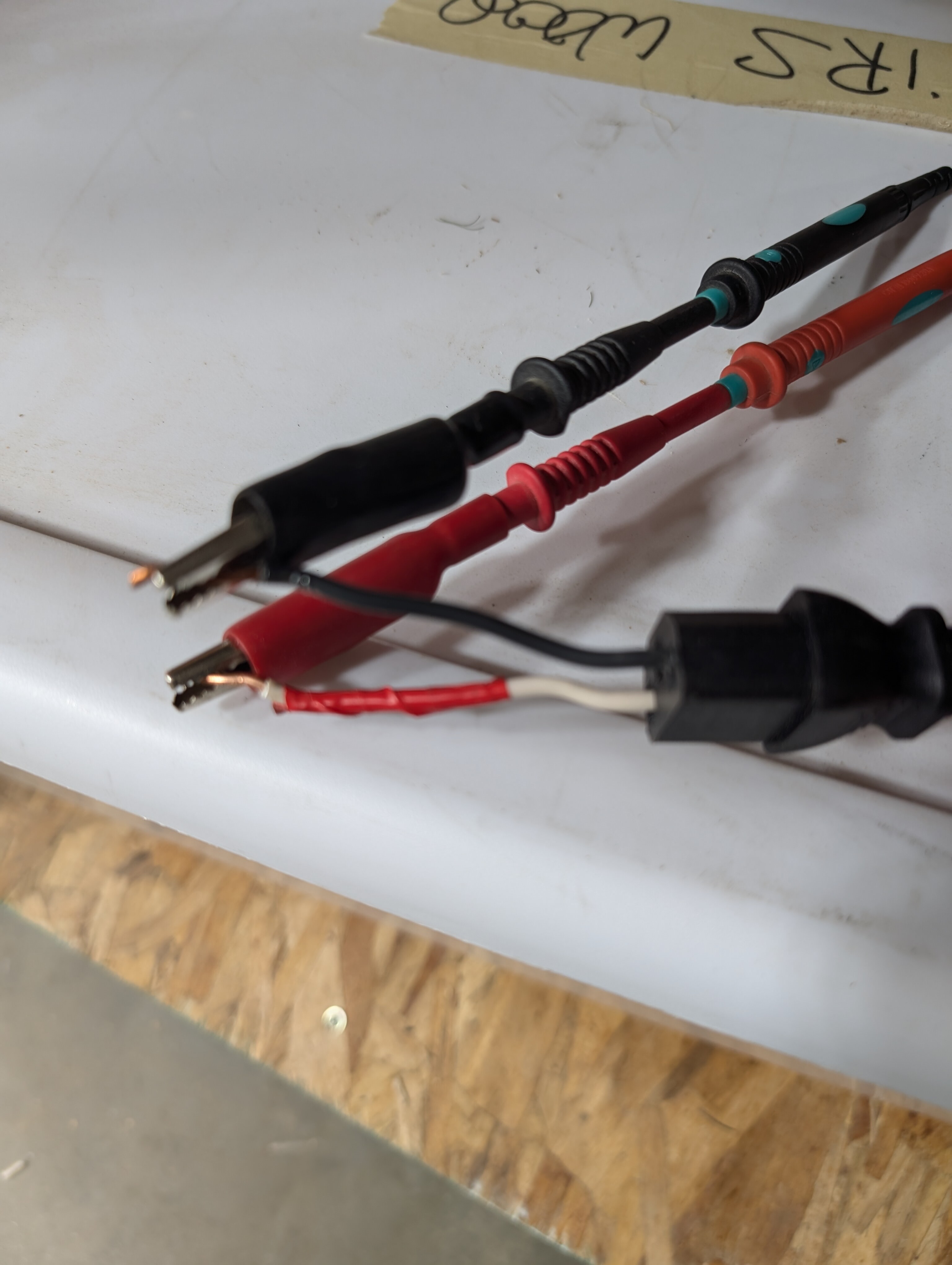
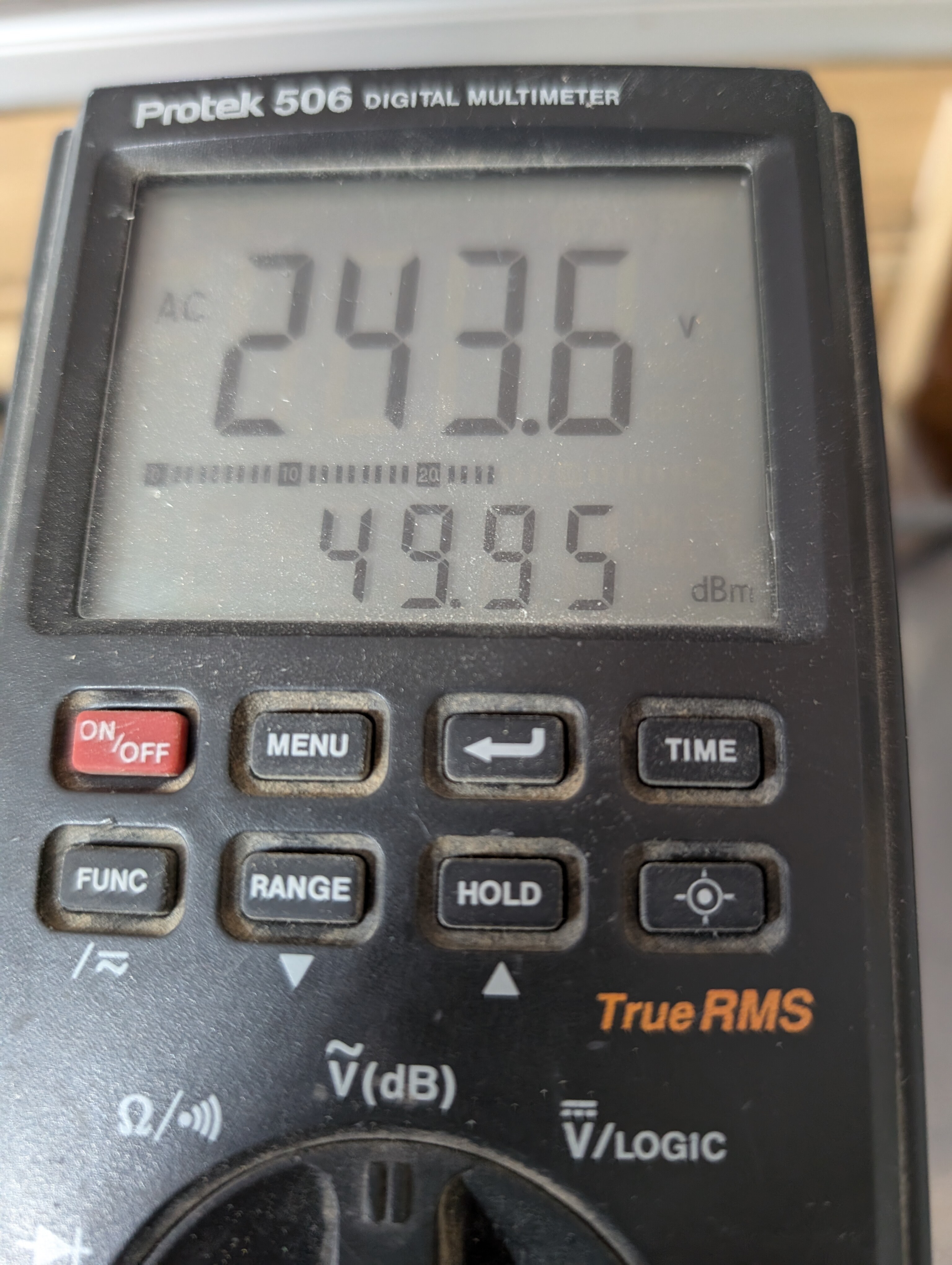
P0.0.16 mentions Motor Rated voltage, but that is definitely set to 220v.
Doing a quick scan of the settings, i’m not seeing an input voltage setting. Which means it likely adapts between the maximum and minimum input voltages listed on the side of the VFD. For 220v vfd’s max i believe is 250v.
I’m assuming you’ve reached out to support for more direct support?
I’d unplug everything except the power cord. See if the issue goes away.
Then start plugging in and seeing if the problem returns and with which cord does it return. All cords unplugged from the VFD.
I plugged the cords in one at a time with no consistent results. Then I performed the following:
- Switch on the left side is up to MAN
- Switch on the right side is BACK towards me
- Plug in power
- Display is blank
- Rt switch FWD away from me
- Display shows POFF then 260-335
- Press RUN, display goes to 0
- Turning knob moves the spindle
- Move rt switch BACK away from me
- After a bleed off period the display shows ERR08 then goes blank.
I was able to use the CNC by having the Left switch to auto and pressing RUN after the sequences above. Then I was able to cut parts via Carbide Create.
What was happening leading up to the error?
Is there excessive dust in/around the VFD itself. Perhaps it needs better dust shielding built up around it to prevent this as well as blowing it out.
No dust near the VFD
Are there any other items plugged into the same circuit that could be pulling voltage.
The VFD is dedicated to 240V, 20 amps
the VFD’s are rated for 220v, and there are a few settings which specify 220v. If this is international, the VFD may need to have the voltage setting adjusted to match your country so proper measuring can occur.
I have not contacted support. I’ll forward my emails to them.
My 2.2kw water cooled spindle has started shutting down with ERR08 code displayed. It now does it on manual and auto. I ran my meter and voltages were a high of 245.1v over time dropping to 239.8v, I think a result of dinner time on our island. No sudden drops in an hour of watching the meter. The VFD is clean, the fan comes on once in awhile as temps are in the 70-80F range within the shop. This started last week and has progressively gotten worse. The circuit is dedicated and has worked for almost half a year without any problems.
On the VFD there are 3 cords. The power cord from the outlet, the power cord coming out of the VFD to the spindle and the cord going to the Robotics (One finity Woodworker).
There is an audible click when it shuts down. I quickly hit the file’s stop button and as the spindle winds down I lift it free of the cut with the hand held PS. The VFD screen at this stage is blank, after awhile there is another VFD click and the screen fires up, ready to go. I can restart the file, but now it doesn’t even get as far as the beginning cut managed before shutting down again.
Any ideas?
I’m at the point where customers are needing their product and I will have to dismantle the PWN spindle and go back to my Makita…ah the horror…
Create a ticket by sending us an email at support@pwncnc.com and copy paste the contents of your post
Done, thanks Chris.
Ah…I took out the comment regarding customers and got the error message.
I produce signs and cribbage boards for our local market. I have texted my current customers letting them know I’m experiencing a problem and their orders might be delayed, and so far people are okay with the promise I will update them as we work through the problem.
1 Like